Picking an AI chatbot feels overwhelming right now. Every week there’s a new one. Every company says theirs is the smartest. And honestly? Most of them are pretty good at the basics. So the question isn’t “which one is best” — it’s “which one fits what I actually do.”
Most people get frustrated because they try to use one tool for everything. That’s like using a hammer for every job. It works… until it doesn’t. The smarter approach is to figure out your main use case first, then match the tool to that. Let me break this down so you can pick without second-guessing yourself.
Step 1: Ask Yourself One Question
What do you actually need it for? Not “everything.” That’s not helpful. Pick your biggest pain point. Here are the five most common ones…
Writing. Emails, blog posts, reports, social captions. If this is you, look for tools with strong instruction-following and tone control. You want something that writes naturally, not like a robot.
Research. Finding facts, comparing products, verifying claims. Here, you want a tool that shows its sources. Otherwise you’re just trusting a machine that sometimes makes things up.
Coding. Debugging, writing functions, explaining errors. This needs long context and technical reasoning. Not every chatbot handles code well.
Working with documents. Contracts, PDFs, meeting notes. You need a tool that can read long files and pull out specific answers without losing track.
Customer support. If you’re automating replies for a business, you need approval workflows and activity logs. That’s a different category entirely.
Most people only need one of these. Maybe two. Don’t overthink it.

Step 2: Match Your Main Need to a Tool
| Main Task | Best Starting Point | Why | Free Version? |
|---|---|---|---|
| Just want one tool for everything | ChatGPT | Most well-rounded. Good at writing, analysis, images. Tons of tutorials. | Yes, with limits |
| Deep research and fact-checking | Perplexity | Shows sources next to every claim. Great for comparing products or finding stats. | Yes, basic search works |
| Long writing and document analysis | Claude | Natural writing style. Handles huge documents without losing context. | Yes, but usage caps hit fast |
| You live in Google apps | Gemini | Summarizes Gmail, works inside Docs. Free cloud storage included. | Most generous free tier |
| You live in Microsoft Office | Copilot | Built into Word, Excel, Outlook. Same engine as ChatGPT under the hood. | Basic chat free, full features paid |
| Real-time social trends | Grok | Pulls live data from X (Twitter). Good for tracking conversations as they happen. | Yes, but paid plans start at $30/month |
| Math, logic, and budget-friendly | DeepSeek | Strong reasoning for the price. Popular with developers and analysts. | Yes, very affordable |
Perplexity is built around finding and tracing information. It searches the web in real time, cites sources, and lets paid users choose among several AI models depending on the task.
ChatGPT is good at most things, though it might not be particularly great at all things. It’s also still wildly popular, and that fan base is seemingly here to stay.
Claude keeps track of your preferences, projects, and working style with memory, so context carries forward across conversations.
Gemini provides access to its latest models, along with deep research and voice chat features, all for free.
Microsoft Copilot is embedded across Microsoft 365 apps like Word, Excel, Outlook, Teams, and PowerPoint, using organizational data to generate personalized, context-aware responses.
Step 3: Test Before You Commit
Don’t just read reviews. Actually try them. Here’s a simple test…
Take one real task you do regularly. Maybe it’s drafting a weekly report. Maybe it’s summarizing a long article. Maybe it’s fixing a spreadsheet formula. Run that exact task through two or three chatbots. Compare the results side by side.
You’ll learn more in ten minutes of testing than ten hours of reading comparisons. Trust me on this.
Step 4: Watch for These Red Flags
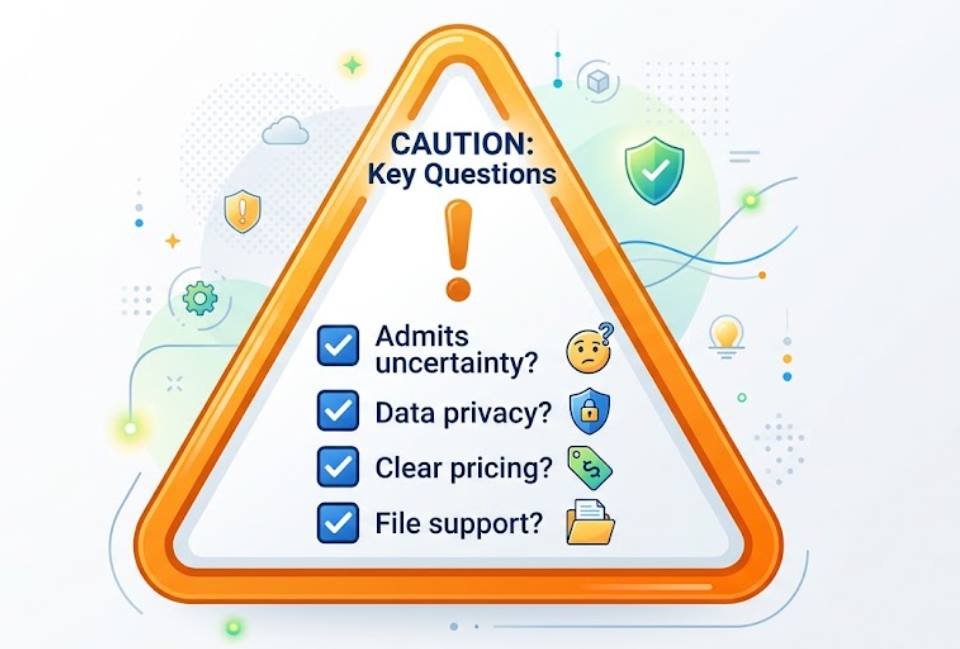
It never says “I don’t know.” A good chatbot admits uncertainty. If it confidently answers everything, even things it can’t possibly know, that’s a problem. You’ll get made-up facts dressed up as truth.
Your data might be used for training. Free tools often learn from your conversations. If you’re pasting sensitive work documents, check the privacy settings first. Some tools let you opt out. Some don’t.
The pricing is confusing. Some charge per message. Some charge monthly. Some have “unlimited” plans with hidden caps. Read the fine print before you pay for anything.
It can’t handle your file types. Need to upload PDFs? Spreadsheets? Images? Check that the tool supports what you actually work with. Not all do.
Step 5: Start Free, Upgrade Later
Almost every major chatbot has a free tier. Use it. Test it for a week. See if it fits your workflow. If you find yourself hitting limits constantly, that’s your signal to upgrade. If you forget it exists after three days, you probably don’t need it.
The goal isn’t to collect subscriptions. It’s to find one tool that genuinely saves you time. One good fit beats five half-used accounts.
A Simple Decision Path
Still not sure? Follow this…
If you want one tool that does most things well → start with ChatGPT or Claude.
If you need sources and citations → go with Perplexity.
If you’re deep in Google or Microsoft → use their built-in assistant. No extra cost, seamless integration.
If you need real-time social data → try Grok.
If you’re on a tight budget → test DeepSeek or a free tier first.
That’s it. Pick one. Use it for a week. Adjust if needed.
Quick Comparison Table
| Feature | ChatGPT | Claude | Perplexity | Gemini | Copilot |
|---|---|---|---|---|---|
| Best for | All-round use | Long writing | Research | Google users | Microsoft users |
| Free tier | Yes | Yes | Yes | Yes | Yes |
| Shows sources | Sometimes | No | Always | Sometimes | Sometimes |
| File uploads | Yes | Yes | Yes | Yes | Yes |
| Image generation | Yes | No | No | Yes | Yes |
| Privacy controls | Good | Good | Good | Good | Good |
| Learning curve | Easy | Easy | Easy | Easy | Easy |
Final Thought
The “best” AI chatbot doesn’t exist. The best one for you does. Figure out your main task. Test two or three options. Pick the one that feels natural.
Don’t chase every new release. Don’t pay for features you’ll never use. Just find a tool that makes your day slightly easier… and stick with it.
So, what’s your main use case? Start there. Everything else follows.