Computers come in every size, from a smartphone in your pocket to a supercomputer that fills a room. Ask three people how many types there are and you’ll get three different answers. This guide sorts it out. You’ll learn how computers are grouped, what each type does, how laptops, desktops, and mini PCs compare, and how to choose the right one for your needs.
How Many Types of Computers Are There?
There is no single correct number, because computers can be grouped in different ways. Here is why you see 3, 4, 5, 7, or 10 in different places.
- 3 types: by how they process data. Analog, digital, and hybrid.
- 4 types: by size and power. Supercomputers, mainframes, minicomputers, and microcomputers. This is the most common classroom answer.
- 5 types: The four above plus embedded systems (the small computers inside cars, appliances, and wearables). Some lists add workstations instead.
- 7 types: Supercomputers, mainframes, minicomputers, workstations, personal computers, servers, and mobile devices.
- 10 types: Supercomputers, mainframes, minicomputers, workstations, servers, desktops, laptops, tablets, smartphones, and embedded systems.
All of these answers are right. They split the same family in different places. The sections below cover the main groupings in order.
Types of Computers by Size and Power
This is the classic way to classify computers. Size usually goes with power and with how many people use the machine at once.
- Size and Power: Larger machines historically housed more processing units, memory, and cooling systems, making them significantly more powerful than smaller, individual units.
- User Capacity: Smaller computers, like desktops and laptops, are designed for a single user, while larger systems, like mainframes, are built to handle simultaneous requests from hundreds or thousands of users.
Supercomputers
Supercomputers are the fastest computers in the world. They link thousands of processors that work on one huge problem together. Scientists use them for weather forecasting, climate models, drug research, nuclear simulations, and AI training. They are very expensive and often fill whole rooms. El Capitan in the United States and Fugaku in Japan are well-known examples, and you can follow the current rankings on the TOP500 list.
Mainframe Computers
Mainframes handle huge numbers of transactions and users at the same time. Banks, airlines, insurers, and governments rely on them because they are extremely reliable and can run for years without stopping. The IBM Z series is the best-known example. Modern mainframes are about the size of a large refrigerator.
A common mix-up: supercomputers solve one giant calculation as fast as possible, while mainframes process millions of small, repeated tasks reliably.
Minicomputers
Minicomputers sit between mainframes and personal computers. They were popular from the 1960s to the 1980s for small and mid-sized businesses, labs, and factories. Today the term is mostly historical, because modern servers and workstations have taken over their role. You’ll still see it in textbooks and exams.
Microcomputers
Microcomputers are built around a single microprocessor, and they are the computers most people actually use. Desktops, laptops, tablets, and smartphones all belong here. They are small, affordable, and designed for one person at a time.
Types of Computers by How They Process Data
Computers can also be grouped by the kind of data they handle.
- Analog Computers: Measure continuous physical quantities, such as voltage or speed, rather than counting discrete values.
- Digital Computers: Count discrete values using binary code (0s and 1s), which provides high precision.
- Hybrid Computers: Accept continuous analog signals, process them, and convert them into digital data for analysis.
Types of Personal Computers: Desktops, Laptops, All-in-Ones, Mini PCs, 2-in-1s, and Tablets
For most readers, this is the section that matters. These are the computers you can actually buy.
Desktop Computers
A desktop is a computer that stays in one place. It has a case (the “tower”), a separate monitor, a keyboard, and a mouse. Towers come in full, mid, and mini sizes. Desktops give you the best performance for the price, the best cooling, and the easiest upgrades. You can swap the graphics card, add memory, or install more storage years later. The downsides are size and no portability.

Laptops
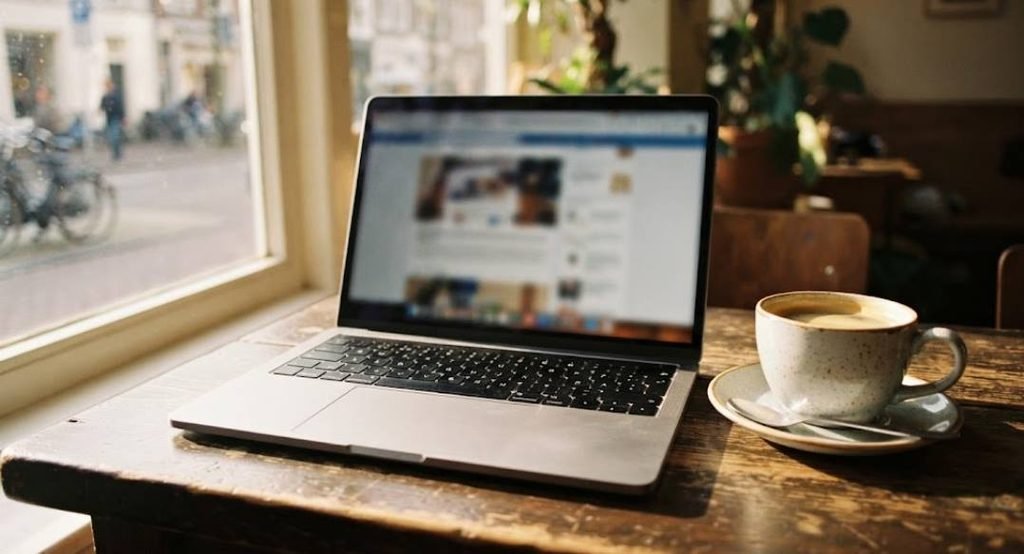
A laptop packs the screen, keyboard, trackpad, and battery into one foldable unit.
Common sub-types include:
- Standard laptops: a balance of price, performance, and weight, usually with a 14 to 16 inch screen.
- Ultrabooks: thin, light, and focused on battery life.
- Gaming laptops: powerful graphics, but heavier, hotter, and more expensive.
- Chromebooks: budget-friendly laptops that run ChromeOS and rely heavily on web apps.
The trade-off is that laptops are harder to upgrade, and the same specs cost more than in a desktop.
All-in-One PCs
An all-in-one hides the computer behind the screen, so you only need a power cable, a keyboard, and a mouse. The Apple iMac is a well-known example. It’s tidy and good for homes and reception desks. Upgrades are limited, and if the screen fails, the whole machine is affected.

Mini PCs
A mini PC is a full computer about the size of a paperback book. You connect your own monitor, keyboard, and mouse. Mini PCs use little power, run quietly, and can be mounted behind a monitor. They handle office work, browsing, streaming, and light creative work well. Their limits are weaker graphics and heat under heavy loads. Popular mini PC brands include Minisforum, Beelink, and GMKtec.

2-in-1 Laptops
A 2-in-1 has a touchscreen and a hinge that bends back or detaches, so it works as a laptop or a tablet. These suit note-taking, drawing, and presentations. They usually cost more than a standard laptop with the same performance.

Tablets
Tablets are touchscreen-only devices such as the Apple iPad and the Samsung Galaxy Tab. They are great for reading, video, drawing, and light work, and a keyboard case makes them more useful. They are not ideal as your only computer for heavy work.

Other Computers You Use Daily
Some computers don’t look like computers at all.
Servers
Servers store and deliver data to other devices over a network. When you open a website, a server sends it to you. They run around the clock.
Workstations
Workstations are high-powered single-user machines built for 3D modeling, video editing, engineering, and animation.
Embedded Systems
Embedded systems are tiny computers built into other things, like cars, washing machines, smart TVs, and fitness trackers. They do one job and run without you noticing.
Smartphones
A smartphone is a pocket-sized microcomputer. A modern phone is far more powerful than the computers that guided early space missions.
Types of Computers and Their Functions at a Glance
| Type | Main function | Typical users | Example |
|---|---|---|---|
| Supercomputer | Huge scientific calculations | Research labs, governments | El Capitan, Fugaku |
| Mainframe | Massive transaction processing | Banks, airlines | IBM Z series |
| Minicomputer | Mid-scale business tasks | Historic small businesses, labs | PDP-11 |
| Workstation | Heavy single-user creative or technical work | Engineers, animators | HP Z series |
| Server | Store and serve data | Websites, companies | Web and database servers |
| Desktop | Everyday and high-performance computing | Home, office, gaming | Tower PC |
| Laptop | Portable everyday computing | Students, professionals | Dell, Lenovo, MacBook |
| All-in-One | Space-saving desktop | Homes, reception desks | iMac |
| Mini PC | Compact office and media computing | Small offices, home use | Minisforum, Beelink |
| Tablet / Smartphone | Mobile apps, media, communication | Everyone | iPad, Samsung Galaxy |
| Embedded system | One dedicated task inside a device | Built into products | Car control unit |
Laptop vs Desktop vs Mini PC: Which Is Better?
There is no overall winner. Each one gives something up.
| Feature | Laptop | Desktop | Mini PC |
|---|---|---|---|
| Portability | High | Low | Medium (needs monitor, keyboard) |
| Performance for the price | Lower | Highest | Good |
| Upgrades | Limited | High | Limited to RAM and storage |
| Cooling | Weakest | Best | Medium |
| Power use | Low | High | Very low |
| Space needed | Small | Large | Very small |
| Includes screen and battery | Yes | No | No |
The deciding question is simple: do you need to move your computer? If yes, buy a laptop. If it stays on one desk, a desktop or mini PC usually gives you more for your money.
Advantages and Disadvantages of Each Type
| Type | Advantages | Disadvantages |
|---|---|---|
| Laptops | Portable, built-in battery, everything in one device | Harder to upgrade, costlier for the same power, can overheat |
| Desktops | Best performance per dollar, easy upgrades, better cooling, bigger screens | Not portable, take space, need separate parts |
| All-in-Ones | Clean setup, fewer cables, stylish | Hard to upgrade, a screen fault can mean replacing the whole unit |
| Mini PCs | Tiny, quiet, energy-efficient, good value | Limited graphics power, not portable without peripherals |
| 2-in-1s and Tablets | Touch and pen input, flexible | Usually less powerful for the price, shorter upgrade life |
| Servers, Workstations, and Mainframes | Built for heavy, continuous work | Expensive, and unnecessary for most people |
Best Type of Computer for Students, Office Work, Gaming, and Freelancers
Students
- A lightweight laptop with at least 8 GB of RAM (16 GB is safer) and good battery life.
- If the computer stays at home, a desktop gives better value.
Office Work
- A desktop or mini PC with an SSD and 8 to 16 GB of RAM handles documents, email, and video calls easily. All-in-ones also suit offices.
Gaming
- A gaming desktop gives the best performance and upgrade path. A gaming laptop works if you need portability, but expect higher cost and more heat.
Freelancers and Creators
- A mid-to-high-end laptop is ideal for working on the move, while a desktop or workstation is best for video editing, design, and 3D work. For illustrators, a 2-in-1 device or tablet is highly beneficial.
Popular Computer Brands by Type
| Type | Well-known brands |
|---|---|
| Laptops | Dell, HP, Lenovo, Asus, Acer, Apple (MacBook), MSI |
| Gaming laptops and desktops | Asus ROG, MSI, Alienware, Lenovo Legion, HP Omen |
| Desktops and all-in-ones | Dell, HP, Lenovo, Apple (iMac), Asus |
| Mini PCs | Minisforum, Beelink, GMKtec, plus mini models from Dell, HP, and Lenovo |
| Workstations | HP Z, Dell Precision, Lenovo ThinkStation |
| Servers | Dell, HPE, Lenovo, Supermicro |
| Mainframes | IBM |
| Tablets | Apple iPad, Samsung Galaxy Tab, Lenovo |
Brand matters most for warranty and service. Pick a brand that has a service center you can reach easily.
FAQ
What are the 4 main types of computers?
- Supercomputers, mainframes, minicomputers, and microcomputers, classified by size and power.
What are the 5 types of computers?
- The four above plus embedded systems. Some lists use workstations as the fifth.
What are the 7 main types of computers?
- Supercomputers, mainframes, minicomputers, workstations, personal computers, servers, and mobile devices.
What are 10 different types of computers?
- Supercomputers, mainframes, minicomputers, workstations, servers, desktops, laptops, tablets, smartphones, and embedded systems.
Are desktops or laptops better?
- Desktops are better for performance, upgrades, and value. Laptops are better for portability. Choose based on whether you need to move your computer.
What is a mini PC used for?
- Office work, web browsing, streaming, home entertainment, point-of-sale systems, and digital signage.
What is the difference between a mainframe and a supercomputer?
- Mainframes process large volumes of transactions reliably, such as bank records. Supercomputers focus on extremely fast calculations for science and research.
What is the best computer for students?
- A lightweight laptop with a good battery, an SSD, and at least 8 GB of RAM. Choose 16 GB if you can afford it.
Is a smartphone a computer?
- Yes. It has a processor, memory, storage, an operating system, and input and output, so it is a small digital microcomputer.
Conclusion
Computers are grouped by size, purpose, and form, which is why the “number of types” changes from one source to the next. For everyday buying, the real choice is between a laptop, a desktop, a mini PC, and a tablet or 2-in-1. Start with how you will use it, then match the type, brand, and budget.