
CPU vs GPU is a question every computer buyer runs into: these are the two most important chips in any computer, yet they are built for very different jobs. This guide explains what each one does, how they differ, and which one matters more for gaming, creative work, and everyday use.
CPU: The Manager
A few powerful cores that handle general tasks, make decisions, and keep the whole system running smoothly.
GPU: The Specialist
Thousands of smaller cores that tackle many simple calculations at the same time, perfect for graphics and parallel work.
Every time you open an app, play a game, or edit a video, two chips are working behind the scenes. The central processing unit runs the instructions that make your computer function, while the graphics processing unit handles visuals and other heavy parallel workloads. If you are new to how all of these parts fit together, start with our beginner’s guide to how a computer works.

What Is a CPU? (Explained Simply)
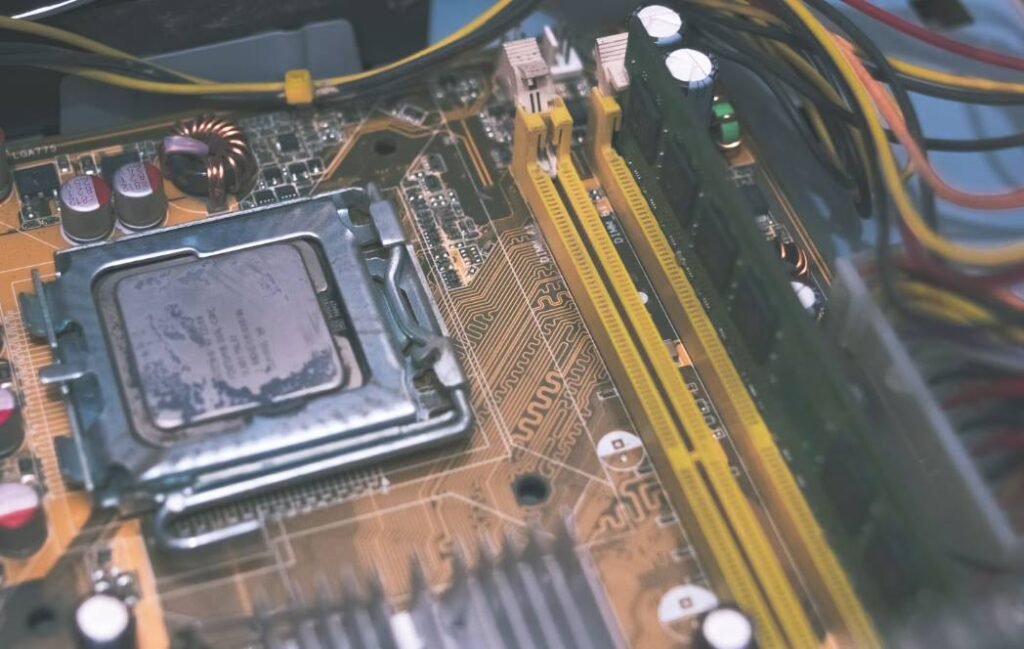
The CPU, or central processing unit, is the main brain of your computer. It reads instructions from programs, performs the calculations they require, and tells the other components what to do. Whether you are typing a document, opening a browser tab, or starting your operating system, the CPU is involved in almost everything.
A CPU is designed to be a generalist. It has a small number of very capable cores, and each core can handle complex, varied tasks quickly, one after another. According to Intel’s explanation of CPUs and GPUs, the CPU is the component that coordinates the overall flow of work in a system, which is why it is often described as the manager of the computer.
Simple analogy: Think of the CPU as a head chef. It can cook any dish on the menu, make quick decisions, and manage the kitchen, but it can only prepare a handful of dishes at once.
What Is a GPU? (Explained Simply)
The GPU, or graphics processing unit, is a processor built to draw images, video, and 3D scenes. Every frame you see on screen is made of millions of pixels, and each pixel needs its own color and lighting calculation. A GPU solves this by splitting the work across thousands of small cores that all run at the same time.
Because this kind of parallel computing is so efficient, GPUs are now used well beyond games. They accelerate video rendering, 3D modeling, scientific simulations, and artificial intelligence workloads. A GPU can either be integrated into the CPU or sit on its own dedicated graphics card with its own memory.
Simple analogy: If the CPU is a head chef, the GPU is a huge team of line cooks. Each cook can only do a simple job, but together they can produce thousands of identical plates at once.
CPU vs GPU: The Key Differences
Both chips process data, but they approach the job in opposite ways. Here are the seven key differences at a glance, based on the general design of each processor.
| Difference | CPU | GPU |
|---|---|---|
| 1. Main role | General-purpose control and logic | Specialized graphics and parallel math |
| 2. Core count | Few, powerful cores | Thousands of smaller cores |
| 3. Processing style | Serial, task by task | Massively parallel |
| 4. Clock speed | Generally higher per core | Generally lower per core |
| 5. Memory | Uses system RAM | Uses fast dedicated VRAM |
| 6. Best at | Multitasking, logic, and decisions | Rendering, AI, and repetitive calculations |
| 7. Cost and power | Usually cheaper at the same tier | Often costs more and draws more power |
Neither chip is “better” in the abstract. They are tools designed for different problems, and a balanced computer needs both. To see where these chips sit among the other kinds of machines, take a look at our complete guide to types of computers.
CPU vs GPU Architecture: Cores, Speed, and Parallel Processing
The biggest difference lies in architecture. A CPU dedicates a lot of its silicon to large caches and complex control logic, so each core can handle unpredictable, branching tasks very quickly. A GPU does the opposite: it uses simpler cores and packs in as many as possible, trading single-task speed for enormous throughput.
This is why a CPU can open a program or run a spreadsheet formula instantly, while a GPU struggles with the same job. But ask both to apply a filter to a million pixels, and the GPU wins easily because it can process huge batches of pixels at the same moment.
| Architecture Factor | CPU | GPU |
|---|---|---|
| Typical core count | Roughly 4 to a few dozen | Hundreds to many thousands |
| Single-core strength | Very high | Low |
| Clock speed | Roughly 3 to 6 GHz boost | Roughly 1.5 to 3 GHz |
| Cache and control logic | Large and complex | Small and simple |
| Parallel workloads | Limited | Excellent |
| Latency (response time) | Very low | Higher |
In short, the CPU is built for speed and flexibility, while the GPU is built for volume and parallelism.
Do You Need Both a CPU and a GPU?
Yes, every computer needs both, but not always as separate parts. A CPU is mandatory because nothing runs without it. A GPU is also required to display an image, yet many CPUs include a small integrated GPU that is more than enough for web browsing, office work, and video playback.
Integrated GPU is enough if you…
- Browse the web and stream video
- Work in documents, email, and spreadsheets
- Play light, older, or esports-style games at modest settings
You need a dedicated GPU if you…
- Play demanding modern games at high settings
- Edit 4K video or render 3D scenes
- Run AI, machine learning, or heavy simulation tasks
CPU vs GPU for Gaming: Which Gives More FPS?
For most games, the GPU has the bigger influence on frame rate. It renders the textures, lighting, and effects you see, so a stronger graphics card usually means higher FPS, higher resolution, and better visual settings. This effect becomes even stronger at 1440p and 4K, where the GPU does most of the work.
The CPU still matters, though. It handles game logic, physics, AI behavior, and feeding instructions to the GPU. At lower resolutions and high refresh rates, or in CPU-heavy games such as strategy titles and large open worlds, a weak CPU can cap your FPS no matter how good your graphics card is.
| Gaming Scenario | Matters More | Why |
|---|---|---|
| 4K or high-resolution gaming | GPU | More pixels to render per frame |
| High graphics settings and ray tracing | GPU | Lighting and effects are GPU-heavy |
| Esports at very high refresh rates | CPU | The CPU must prepare frames extremely fast |
| Strategy, simulation, and large open-world games | CPU | Many units, calculations, and AI routines |
| 1080p mid-range gaming | Balanced | Both can become the limiting factor |

CPU vs GPU for Video Editing, Streaming, and Creative Work
Creative software often uses both chips, but each one handles different stages of the job. The CPU manages the timeline, decoding, project logic, and many export tasks, while the GPU accelerates effects, color grading, previews, and hardware-assisted encoding.
| Task | Leans On | Why It Fits |
|---|---|---|
| Video editing timeline | CPU and GPU | CPU decodes footage, GPU speeds up effects and previews |
| Video export | CPU or GPU encoder | CPU gives high quality, GPU encoders give speed |
| Game streaming | CPU and GPU | The game, capture, and encoding compete for resources |
| 3D rendering | GPU | Parallel ray calculations suit thousands of cores |
| Photo editing | CPU, with GPU assist | Many tools are CPU-driven, some filters use the GPU |
| Music production | CPU | Audio plugins and tracks rely on strong single-core speed |
| AI image generation | GPU | Needs parallel math and plenty of VRAM |
If you stream, a modern GPU’s built-in hardware encoder can take most of the encoding load off the CPU, which keeps your game smoother. Creators who multitask heavily also benefit from enough memory, so check how much RAM you actually need for your workflow.
Which Matters More: CPU or GPU?
It depends entirely on what you do on your device. For general use, the CPU matters more because it affects how fast everything feels. For gaming at high settings, 3D work, and AI, the GPU takes the lead. The smartest approach is to match the two chips to your main workload rather than overspending on one.
Prioritize the CPU for
- Office and school work: Fast responses and smooth multitasking
- Programming and virtual machines: Compiling code and running multiple processes
- Strategy and simulation games: Heavy logic and AI calculations
Prioritize the GPU for
- High-resolution gaming: More pixels and effects to render
- 3D, animation, and video effects: Parallel rendering power
- AI and machine learning: Thousands of parallel calculations
CPU vs GPU Bottleneck: How to Spot and Fix It
A bottleneck happens when one component is so much slower than the other that it holds back the whole system. A powerful graphics card paired with an old CPU, or the reverse, wastes the potential of the faster part.
How to spot a bottleneck
Open a monitoring tool such as Task Manager or a free overlay utility while you play or work. If your GPU usage sits near 95 to 100% while the CPU has headroom, the GPU is the limit. If your CPU is maxed out while the GPU is far below full usage, the CPU is the bottleneck. Stuttering, uneven frame times, and low GPU usage in a demanding game are classic signs of a CPU limit.
How to fix it
- Confirm the cause. Check CPU and GPU usage during the exact task that feels slow.
- Adjust your settings. Raise the resolution or graphics quality if the CPU is limiting, or lower them if the GPU is limiting.
- Close background apps. Browsers, launchers, and overlays can steal CPU time.
- Update drivers and software. Newer drivers often improve how the two chips work together.
- Upgrade the weaker part. Replace the slower component, and make sure your motherboard and power supply support the change.
Quick tip: Some bottleneck is normal. Something is always the limiting part. It only becomes a problem when the gap is large enough to noticeably waste money or performance.
CPU vs GPU in Laptops vs Desktops
The same chip name can perform very differently depending on whether it sits in a laptop or a desktop. Desktops have room for large coolers and high power limits, so their CPUs and GPUs can run faster for longer. Laptops must fit everything into a thin body with limited cooling and battery power, so their chips are usually tuned to run at lower power.
| Factor | Laptop | Desktop |
|---|---|---|
| Performance level | Lower at the same chip tier due to power limits | Higher and more sustained |
| Cooling | Limited, can throttle under load | Larger coolers and more airflow |
| GPU type | Often integrated or a power-limited mobile GPU | Full-size dedicated graphics cards |
| Upgradeability | Usually limited or soldered | Easy to swap CPU and GPU |
| Efficiency and battery | Optimized for low power | Not a concern |
If you are still deciding between the two form factors, our laptop vs desktop comparison breaks down the trade-offs in detail.
CPU vs GPU vs RAM vs VRAM: How They Work Together
Processors need fast memory to work with. RAM is the short-term memory shared by the CPU and your running programs. VRAM is the dedicated memory on a graphics card, where the GPU stores textures, frame buffers, and model data it needs right now.
| Component | Role | What Happens If It Is Too Small |
|---|---|---|
| CPU | Runs instructions and coordinates the system | Slow multitasking and low FPS in CPU-heavy tasks |
| GPU | Renders graphics and parallel workloads | Low frame rates and slow rendering |
| RAM | Holds data for running programs | Lag, freezing, and slow app switching |
| VRAM | Holds graphics data for the GPU | Stutter, texture pop-in, and crashes at high settings |
Think of them as a team: the CPU gives orders, RAM holds the working files, the GPU draws the picture, and VRAM is the GPU’s private workbench. When one is too weak, the others cannot make up for it.
CPU vs GPU Price: Which Costs More?
At the high end, a GPU usually costs more than a CPU. A top-tier graphics card contains a huge chip, fast memory, a large cooling system, and a lot of other hardware on its own board. A CPU is a much smaller package. In budget builds, the difference is smaller and the two parts can cost about the same.
Prices change often, so compare current listings and independent benchmarks rather than relying on a fixed figure. A database such as TechPowerUp’s GPU specs can help you compare graphics cards side by side before you buy.
| Build Type | Where to Spend More | Reason |
|---|---|---|
| Office or home PC | CPU, RAM, and storage | An integrated GPU is usually enough |
| Gaming PC | GPU first, then a solid CPU | Graphics card drives most of the FPS |
| Video editing PC | Balanced CPU and GPU, plus RAM | Both chips are used across the workflow |
| AI or 3D workstation | GPU with large VRAM | Parallel power and memory capacity matter most |
Frequently Asked Questions
Is a GPU better than a CPU?
Not in every way. A GPU is better at massively parallel work such as rendering graphics, training AI models, and video effects. A CPU is better at general computing, complex logic, and switching quickly between different tasks. They are complementary, and a computer requires a CPU to function, while a GPU is specialized for acceleration.
Is 32GB VRAM overkill?
For most gaming, yes. Typical games run comfortably with far less VRAM, even at high settings. But 32GB can be genuinely useful for professional 3D rendering, 8K video work, large AI models, and scientific computing, where the data a GPU holds in memory can be very large.
Is it better to have more CPU or GPU?
It depends on your workload. Choose a stronger GPU for gaming at high resolutions, 3D work, and AI. Choose a stronger CPU for office tasks, programming, and CPU-heavy games. For most people, a balanced pairing gives the best value.

Final Thoughts
The CPU and GPU are not rivals. The CPU is the flexible manager that keeps everything running, and the GPU is the parallel specialist that handles graphics and heavy calculations. Which one matters more comes down to your workload: lean toward the CPU for everyday and logic-heavy tasks, and lean toward the GPU for gaming, creative rendering, and AI. Match both to your needs, avoid big gaps between them, and you will get the best performance for your money.